Guidelines Relating to Forget Password for ApexGaming
Getting locked out of your account is one of the most common frustrations in online gaming. At ApexGaming, the forget password process is designed to be fast, secure, and easy to follow — so you spend less time recovering access and more time playing. This page covers the complete Guidelines Relating to Forget Password, walking you through every step from start to finish.
Introduction to Password Recovery
Forgetting a password happens to everyone. It does not mean your account is at risk or that you have done something wrong. At ApexGaming, the password recovery system is built to verify your identity and restore your access without unnecessary delays.
These Guidelines Relating to Forget Password are written to be straightforward. Whether this is the first time you have gone through the process or you just need a refresher, following each step in order will get you back into your account securely. The entire process typically takes just a few minutes.
Access the Password Recovery Page
The first step in these Guidelines Relating to Forget Password is getting to the right page. Open your browser and go to the official ApexGaming homepage. On the login screen, look for the “Forgot Password?” link. It is usually placed just below the password field and is easy to find.
Click that link and you will be taken directly to the password recovery page. Do not try to guess your password repeatedly before doing this — multiple failed login attempts can trigger a temporary account lock, which adds an extra step to the recovery process.
Enter Your Registered Email
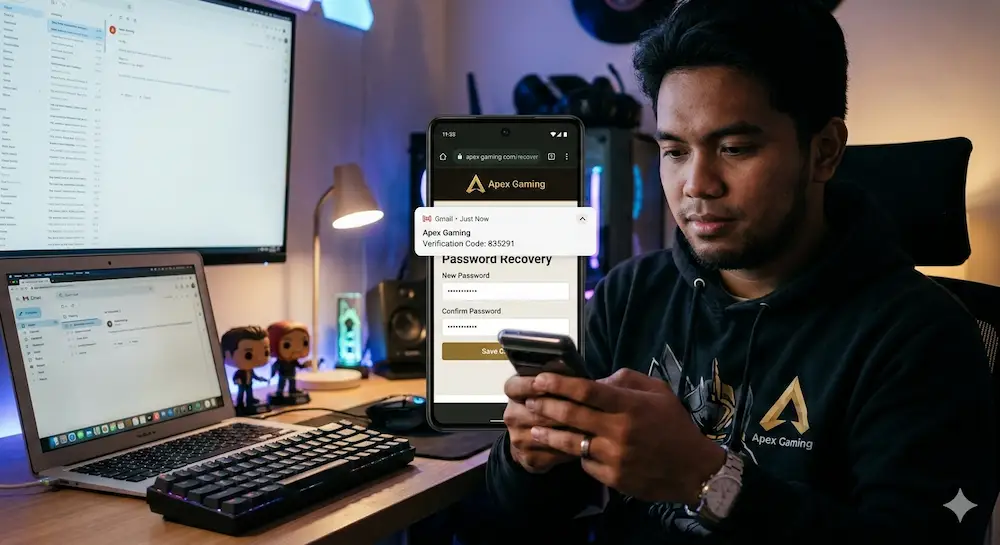
Once you are on the password recovery page, you will be asked to enter the email address linked to your ApexGaming account. Use the exact email you provided when you first registered. If you have more than one email address, think back to which one you used when signing up.
Type it in carefully, double-check for typos, and click “Submit.” A small mistake here — like a missing letter or an extra space — will prevent the recovery email from reaching you. If you are unsure which email you used, check the inbox of each one for any previous messages from ApexGaming.
Verify Your Identity
After submitting your email, ApexGaming will send a verification code to your inbox. This step exists to confirm that the person requesting the password reset is the actual account owner.
Check your inbox for an email from ApexGaming. The message will contain a unique verification code. Enter that code on the verification page and click “Verify.” The code is time-sensitive, so complete this step as soon as you receive the email. If the message does not arrive within a few minutes, check your spam or junk folder before requesting a new code.
This verification step is a core part of the Guidelines Relating to Forget Password because it prevents unauthorized access, even if someone else knows your registered email address.
Reset Your Password
Once your identity is verified, you will be directed to the password reset page. This is where you create a new password for your ApexGaming account.
Do not reuse your old password. Choose something new and make it strong — combine uppercase and lowercase letters, numbers, and special characters. Avoid using your name, birthday, or anything that someone else could easily guess. A strong password is your first line of defense against unauthorized access.
Enter your new password once, then confirm it in the second field to make sure both entries match. Once you are satisfied, click “Reset Password” to complete the process. These Guidelines Relating to Forget Password recommend saving your new password in a secure password manager right away, so you do not have to go through this process again any time soon.
Successful Password Reset
Once you click “Reset Password,” a confirmation message will appear on screen letting you know that your password has been updated successfully. At this point, the process is complete.
Return to the ApexGaming login page and sign in using your new password. If your credentials are entered correctly, you will be taken directly to your account dashboard. Everything — your game history, balance, bonuses, and account settings — will be exactly as you left it.
If the confirmation message does not appear, or if you encounter an error at any stage of these Guidelines Relating to Forget Password, do not attempt the process multiple times without guidance. Reach out to the support team directly for help.
Responsible Gaming
Account security and responsible gaming go hand in hand at ApexGaming. After completing the Guidelines Relating to Forget Password process and regaining access to your account, take a moment to review your security settings.
Update your password regularly — not just when you forget it. A password that has not been changed in a long time is more vulnerable than one that is refreshed every few months. Avoid using the same password across multiple platforms, and never share your login details with anyone.
If you notice any activity in your account that you do not recognize — logins from unfamiliar devices, transactions you did not make, or changes to your account details — report it to the ApexGaming support team immediately. Catching unusual activity early is the best way to prevent a minor concern from becoming a serious problem.
ApexGaming also offers deposit limits, session controls, and self-exclusion tools for players who want to manage their gaming habits responsibly. These tools are available in your account settings and are there to support you at any point during your time on the platform.
Contact Support for Assistance
If you run into any difficulties while following these Guidelines Relating to Forget Password, the ApexGaming support team is available around the clock to help. No step in this process should leave you stuck for long — help is always within reach.
You can contact us through any of the following channels:
Live Chat via Facebook Messenger: ApexGaming Official Facebook Page
Telegram: Join the ApexGaming Telegram Group
Twitter / X: Follow ApexGaming on X
YouTube: Watch ApexGaming on YouTube
The support team can walk you through any step of the Guidelines Relating to Forget Password process, help verify your identity if the standard recovery steps do not work, and assist with any other account-related concerns you may have. They are trained to handle these situations efficiently and without making the process more complicated than it needs to be.
Note: Always keep your login details private. Never share your password, verification codes, or account information with anyone — including people claiming to represent ApexGaming. The official support team will never ask for your password through any channel.
Back in Your Account — Play Safely and Securely
Following these Guidelines Relating to Forget Password gives you a clear, reliable path back to your account every time. The process is secure, the steps are simple, and support is available if anything goes wrong.
Now that you are back in, keep your account protected. Use a strong password, stay alert to unusual activity, and take advantage of the responsible gaming tools ApexGaming provides. A secure account means a better, more worry-free gaming experience — and that is exactly what ApexGaming is built to deliver.









Apex Gaming Featured Games